Make Your Featured Projects Section Actually Stand Out
Better Featured Projects Section
Make Your Featured Projects Section Actually Stand Out Without Additional Plugins
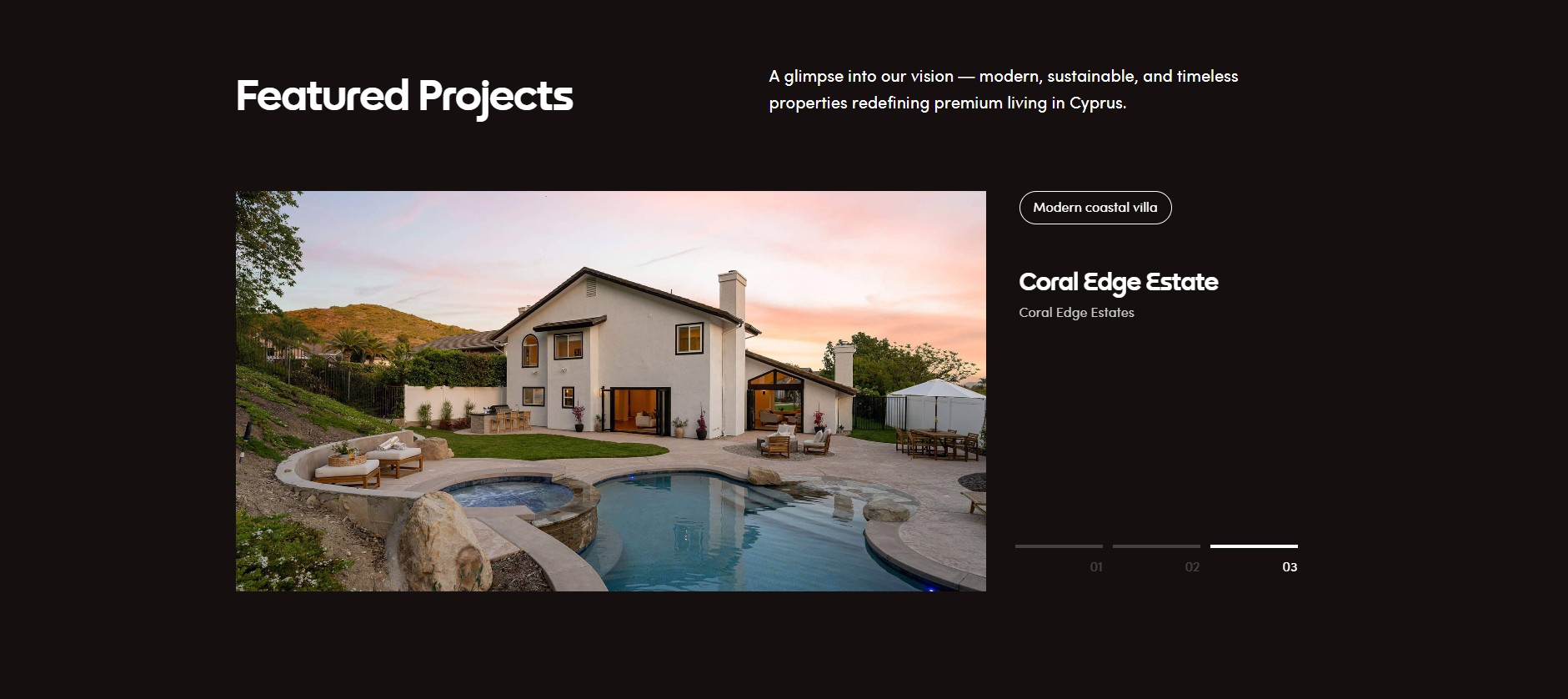
I recently redesigned a Featured Projects section using Elementor Loop Grid, Advanced Custom Fields, and a bit of custom CSS to make it feel more intentional, interactive, and visually engaging.
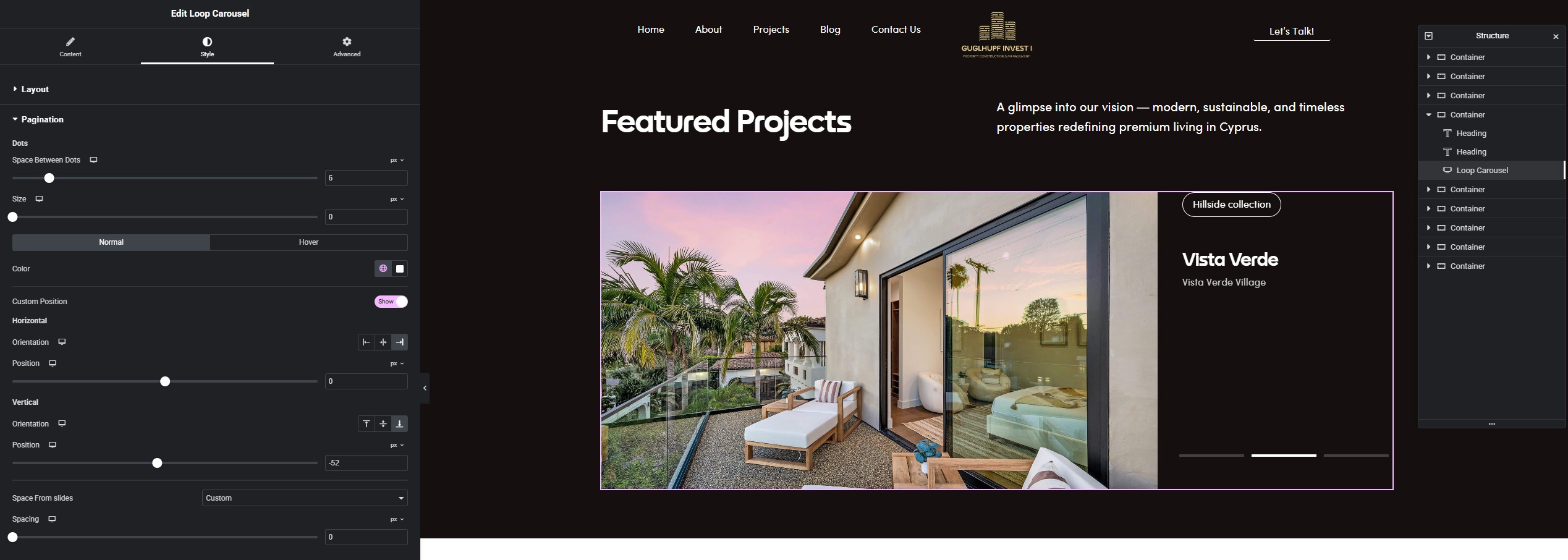
For this Featured Projects section, the goal was to keep the content flexible while giving it a more distinctive visual treatment than a standard grid.
Here’s a quick breakdown of how it was built.
1. Creating the Project Posts with ACF
I started by creating the project entries using Advanced Custom Fields (ACF).
Each project includes structured fields such as:
Project name
Tag
Location
Featured image
Using ACF keeps the content clean, reusable, and easy to manage—especially when scaling the number of projects later.
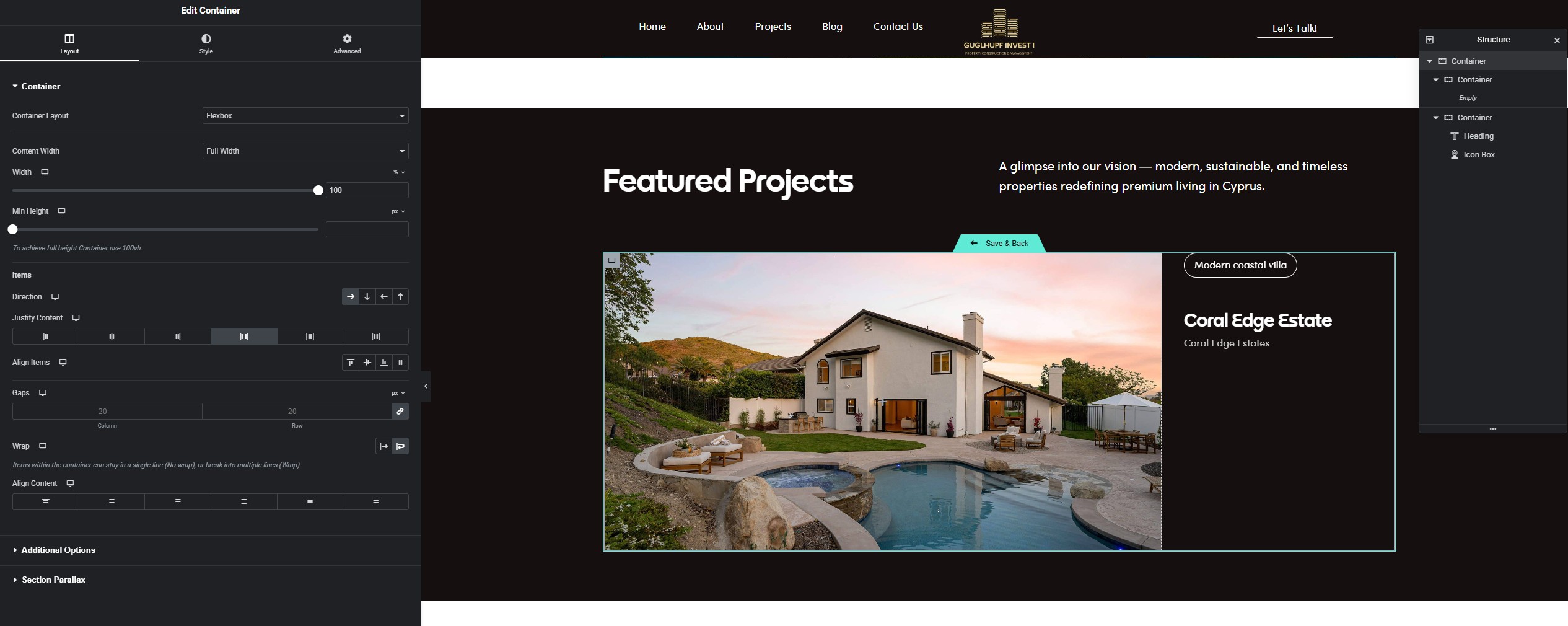
2. Building the Layout with Elementor Loop Grid
Once the fields were in place, I added an Elementor Loop Grid widget and connected it to the project post type.
The layout was designed directly inside Elementor, focusing on:
Clear hierarchy
Consistent spacing
A compact, scannable card structure
Loop Grid Template Layout (See Structure and Analyze)
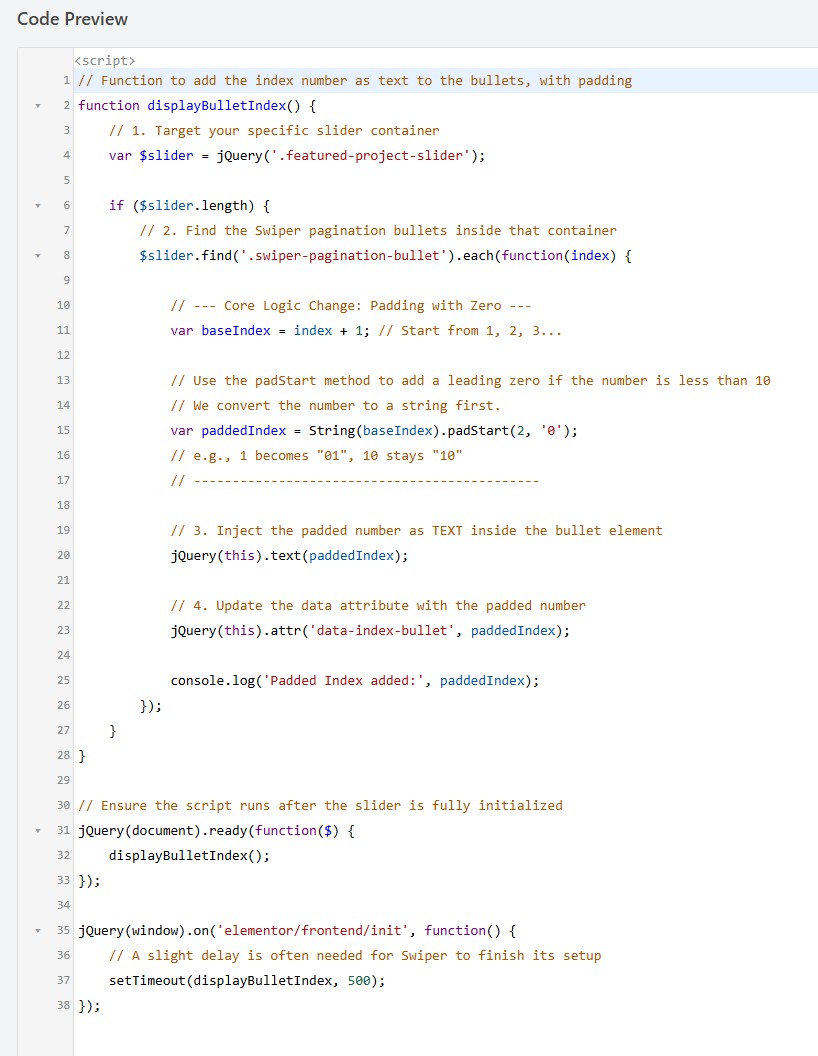
3. Adding Numbers to the Bullet Points with JavaScript
To add numbered indicators to the bullet points, I used a small JavaScript snippet.
This script dynamically assigns numbers based on the item index, which keeps everything automatic and avoids hardcoding values.
This approach ensures:
No manual updates when items are added or removed
Cleaner markup
Better long-term maintainability
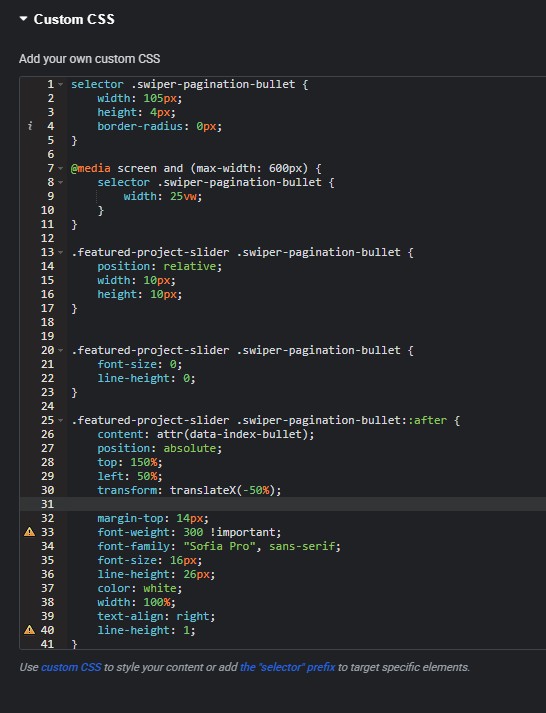
4. Styling the Bullet Points with CSS
Finally, I applied custom CSS directly to the Loop Grid widget to transform the bullet points into horizontal bars and position the numbers correctly.
Most of the styling work focused on:
Turning standard bullets into visual bars
Aligning the numbers for better readability
Keeping the design subtle but noticeable
The full CSS code is included below so you can adapt it to your own layouts.
Final Thoughts
Combining ACF for structured content, Elementor Loop Grid for layout, and light JavaScript + CSS for enhancements makes it easy to build sections that feel custom without overengineering.
Small details—like numbering, spacing, and visual cues—go a long way in making a section feel intentional and polished.