
Redesign Hot Sauce Website

Website Redesign and Build Hot Sauce OLD REDESIGN
WooCommerce Cart Dynamic Tags for Elementor by
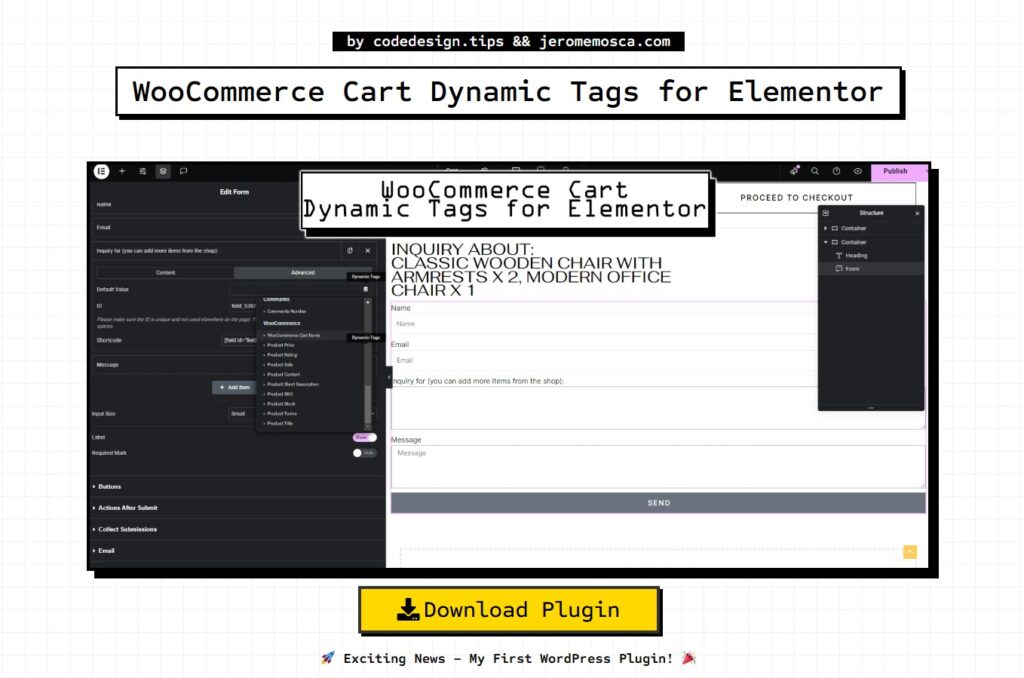
by codedesign.tips && jeromemosca.com WooCommerce Cart Dynamic Tags for Elementor Version 1.1 Download Plugin 🚀 Exciting News – My First WordPress Plugin! 🎉 I’m thrilled to introduce: WooCommerce Cart Dynamic Tags for Elementor – a plugin I built to enhance how cart items can be used within Elementor’s dynamic tags. 💡 What does it do? Makes cart items accessible as dynamic tags in Elementor. Allows displaying cart contents anywhere – headers, text, etc. Designed especially for catalog websites, enabling cart items to be included in an inquiry form as a hidden field, so admins receive the selected products in inquiries. Includes a custom Elementor widget to display cart items in text format (Product Name × Quantity). This was a fun project to build, and I hope it helps others looking to improve their WooCommerce + Elementor experience! 🔥 The Plugin Details The Dynamic Tag Used for Heading Used for Form The Widget Updates Version 1.0 Built to enhance how cart items can be used within Elementor’s dynamic tags. 💡 What does it do? Makes cart items accessible as dynamic tags in Elementor. Allows displaying cart contents anywhere – headers, text, etc. Designed especially for catalog websites, enabling cart items to be included in an inquiry form as a hidden field, so admins receive the selected products in inquiries. Includes a custom Elementor widget to display cart items in text format (Product Name × Quantity). Download Version 1.0 Version 1.1 🔹 Improved Elementor Widget – The custom Elementor widget for displaying cart items in text format (Product Name × Quantity) now wraps each part in separate <span> elements: Product Name: <span> Product Quantity: <span> 🔹 Enhanced WooCommerce Dynamic Tags – Similarly, WooCommerce Cart Items dynamic tags now use these dedicated <span> classes for better styling control. 🎨 New Styling Flexibility – You can now apply custom styles separately to product names and quantities using the respective CSS classes. Update now and take full control over your cart item display styling! 🚀 Download Version 1.1
Theme Builder Single Product Template Not Showing

Elementor Theme Builder Single Product Template Not Showing? Here’s the Fix If you’re using Elementor’s Theme Builder for a Single Product Template and it’s not displaying correctly for guest users (instead showing a “Coming Soon” page), you’re not alone! I recently faced this issue and tried multiple troubleshooting steps, including: 🔸 Clearing Cache🔸 Checking Template & Theme🔸 Reviewing WooCommerce Templates🔸 Creating a New Single Product Template🔸 Disabling Other Plugins🔸 Updating Everything ❓ The Fix?Head to WooCommerce > Settings > Site Visibility and switch it from “Coming Soon” to “Live.” ✅ 🎯 You have: This Shows on the Product page when logged out: The Cause: The Fix: Result: