
Better Link Button
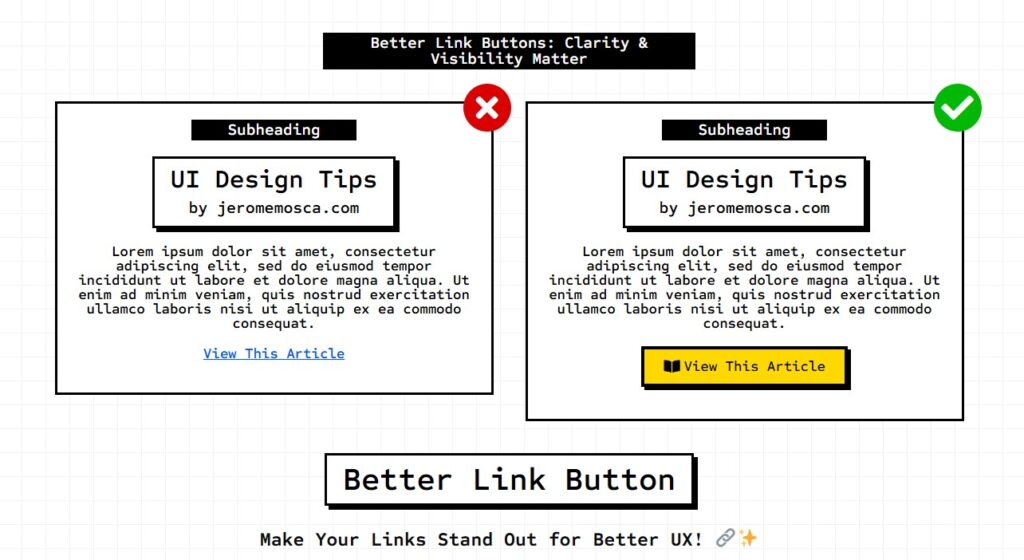
Better Link Buttons: Clarity & Visibility Matter Subheading UI Design Tipsby jeromemosca.com Lorem ipsum dolor sit amet, consectetur adipiscing elit, sed do eiusmod tempor incididunt ut labore et dolore magna aliqua. Ut enim ad minim veniam, quis nostrud exercitation ullamco laboris nisi ut aliquip ex ea commodo consequat. View This Article Subheading UI Design Tipsby jeromemosca.com Lorem ipsum dolor sit amet, consectetur adipiscing elit, sed do eiusmod tempor incididunt ut labore et dolore magna aliqua. Ut enim ad minim veniam, quis nostrud exercitation ullamco laboris nisi ut aliquip ex ea commodo consequat. View This Article Make Your Links Stand Out for Better UX! 🔗✨ Links play a crucial role in navigation, but their appearance matters just as much as their placement. A simple text link might get overlooked, especially if it’s not in a header, footer, or article body. 💡 When should you use a button instead of a link?✔ If the action is important (e.g., “Sign Up” or “Get Started”)✔ If you want it to be highly visible and engaging✔ If it triggers an interaction rather than just navigating Regardless of whether it’s a link or a button, always ensure the text is clear and action-driven—it should hint at what happens next! Instead of a vague “Click Here”, try “Download the Guide” or “Explore Features”. A well-designed and well-worded link improves usability and guides users effortlessly. 🚀
Antique Furniture Website
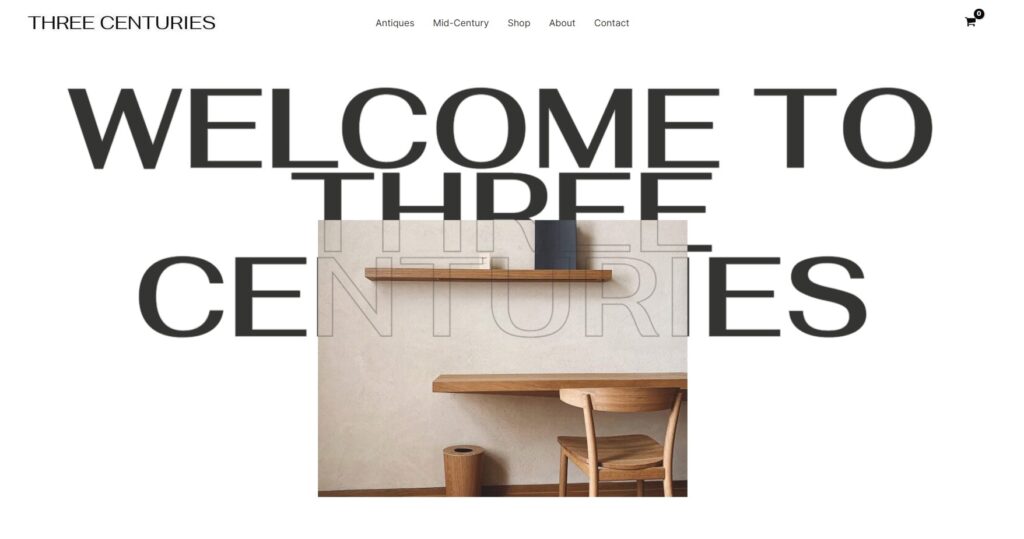
Website Built Antique Furniture Website MODIFIED TEMPLATE
Redesign Hot Sauce Website
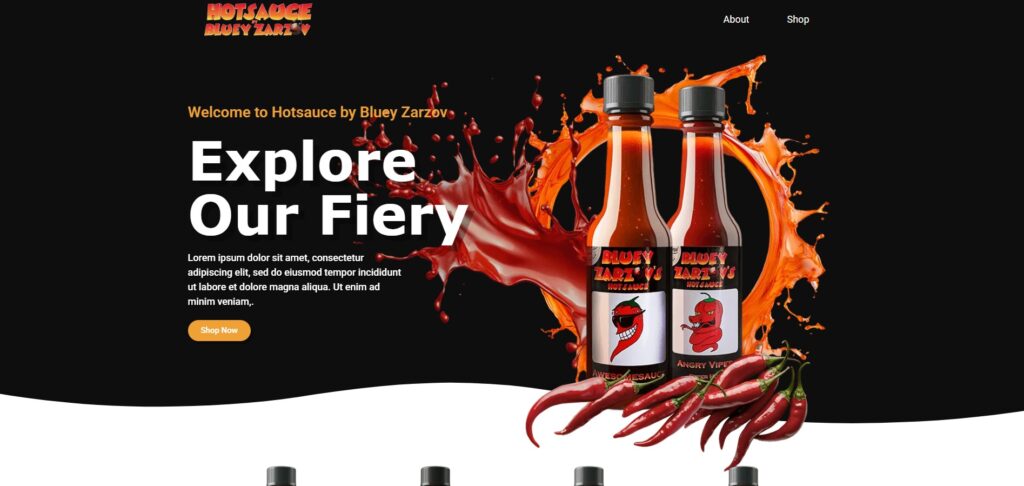
Website Redesign and Build Hot Sauce OLD REDESIGN
WooCommerce Cart Dynamic Tags for Elementor by
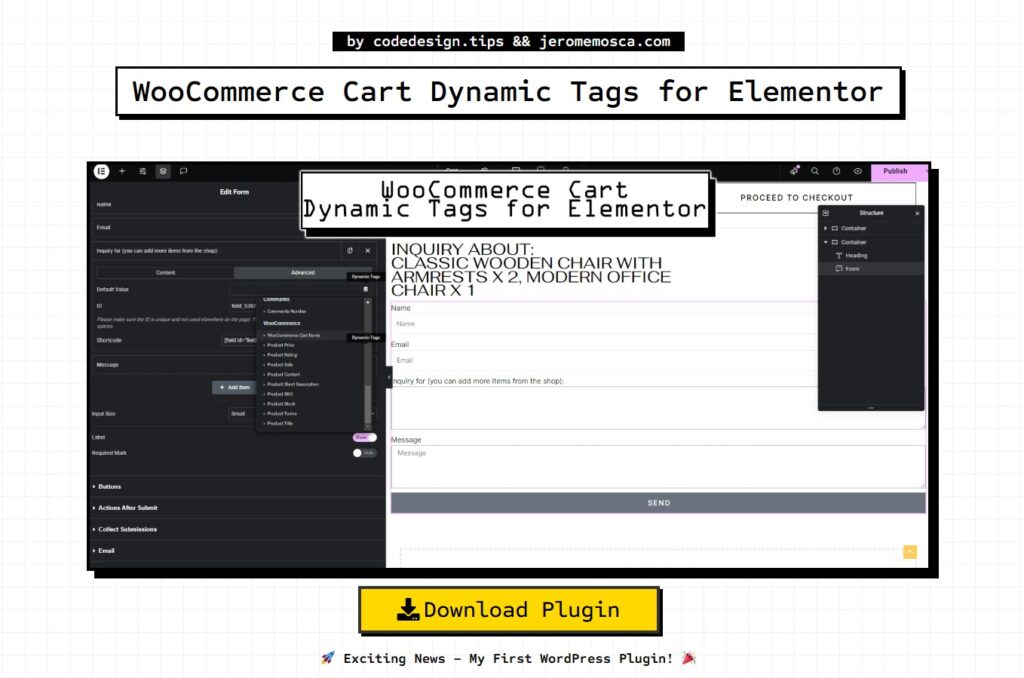
by codedesign.tips && jeromemosca.com WooCommerce Cart Dynamic Tags for Elementor Version 1.1 Download Plugin 🚀 Exciting News – My First WordPress Plugin! 🎉 I’m thrilled to introduce: WooCommerce Cart Dynamic Tags for Elementor – a plugin I built to enhance how cart items can be used within Elementor’s dynamic tags. 💡 What does it do? Makes cart items accessible as dynamic tags in Elementor. Allows displaying cart contents anywhere – headers, text, etc. Designed especially for catalog websites, enabling cart items to be included in an inquiry form as a hidden field, so admins receive the selected products in inquiries. Includes a custom Elementor widget to display cart items in text format (Product Name × Quantity). This was a fun project to build, and I hope it helps others looking to improve their WooCommerce + Elementor experience! 🔥 The Plugin Details The Dynamic Tag Used for Heading Used for Form The Widget Updates Version 1.0 Built to enhance how cart items can be used within Elementor’s dynamic tags. 💡 What does it do? Makes cart items accessible as dynamic tags in Elementor. Allows displaying cart contents anywhere – headers, text, etc. Designed especially for catalog websites, enabling cart items to be included in an inquiry form as a hidden field, so admins receive the selected products in inquiries. Includes a custom Elementor widget to display cart items in text format (Product Name × Quantity). Download Version 1.0 Version 1.1 🔹 Improved Elementor Widget – The custom Elementor widget for displaying cart items in text format (Product Name × Quantity) now wraps each part in separate <span> elements: Product Name: <span> Product Quantity: <span> 🔹 Enhanced WooCommerce Dynamic Tags – Similarly, WooCommerce Cart Items dynamic tags now use these dedicated <span> classes for better styling control. 🎨 New Styling Flexibility – You can now apply custom styles separately to product names and quantities using the respective CSS classes. Update now and take full control over your cart item display styling! 🚀 Download Version 1.1
Theme Builder Single Product Template Not Showing
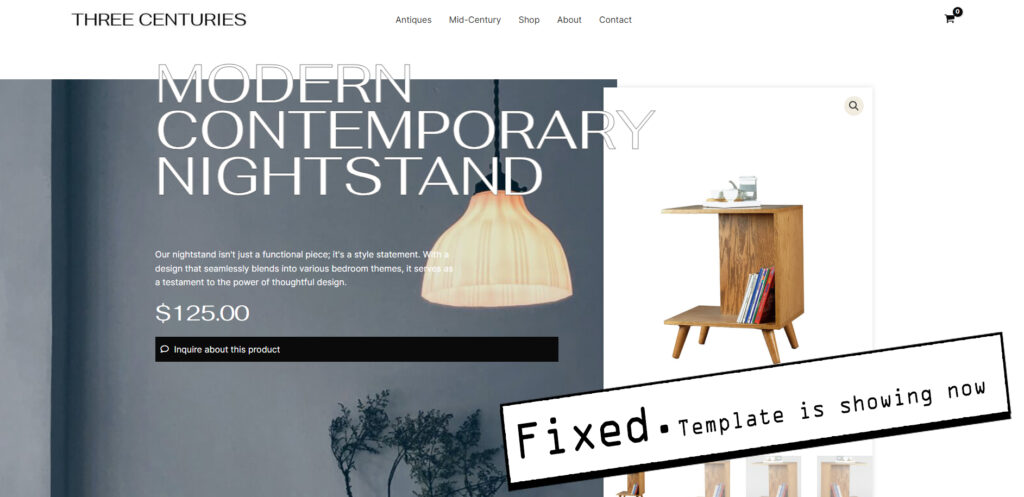
Elementor Theme Builder Single Product Template Not Showing? Here’s the Fix If you’re using Elementor’s Theme Builder for a Single Product Template and it’s not displaying correctly for guest users (instead showing a “Coming Soon” page), you’re not alone! I recently faced this issue and tried multiple troubleshooting steps, including: 🔸 Clearing Cache🔸 Checking Template & Theme🔸 Reviewing WooCommerce Templates🔸 Creating a New Single Product Template🔸 Disabling Other Plugins🔸 Updating Everything ❓ The Fix?Head to WooCommerce > Settings > Site Visibility and switch it from “Coming Soon” to “Live.” ✅ 🎯 You have: This Shows on the Product page when logged out: The Cause: The Fix: Result:
Better Delete Pop up
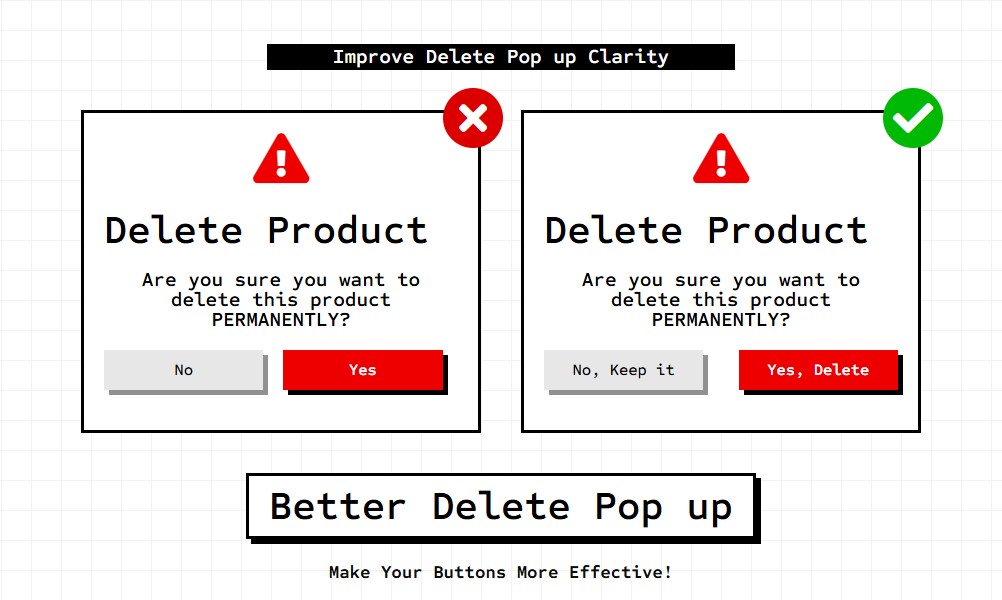
Improve Delete Pop up Clarity Delete Product Are you sure you want to delete this product PERMANENTLY? No Yes Delete Product Are you sure you want to delete this product PERMANENTLY? No, Keep it Yes, Delete Make Your Buttons More Effective! Buttons should be more than just clickable elements—they should clearly communicate actions. Avoid vague labels like “Yes” or “No”, as they can leave users uncertain about what happens next. Instead, use clear, action-oriented text that provides context. For example:✅ “Save Changes” instead of “Yes”✅ “Cancel Subscription” instead of “No” A well-labeled button improves usability and enhances user experience. Small details make a big difference!
Better Menu Design
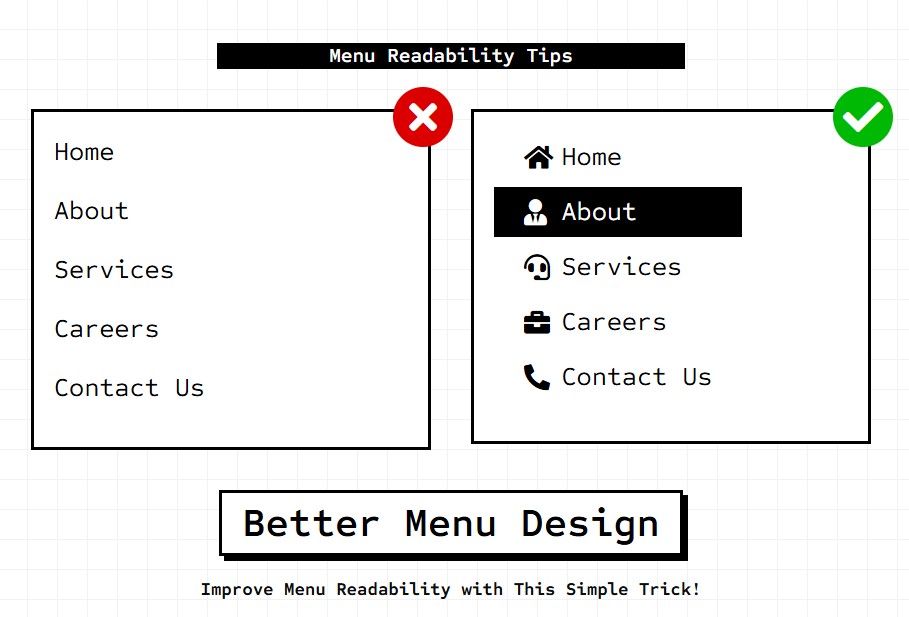
Menu Readability Tips Home About Services Careers Contact Us Home About Services Careers Contact Us Improve Menu Readability with This Simple Trick! Menus often suffer from readability issues, making navigation harder for users. A quick way to enhance both clarity and functionality is by adding icons next to each menu item. This helps users instantly recognize actions at a glance, reducing the need to read every word. Another great practice is highlighting the active tab when applicable. This small tweak improves user experience by providing clear visual cues on their current location within the interface. Little design choices like these can make a huge difference in usability!
Better Social Login
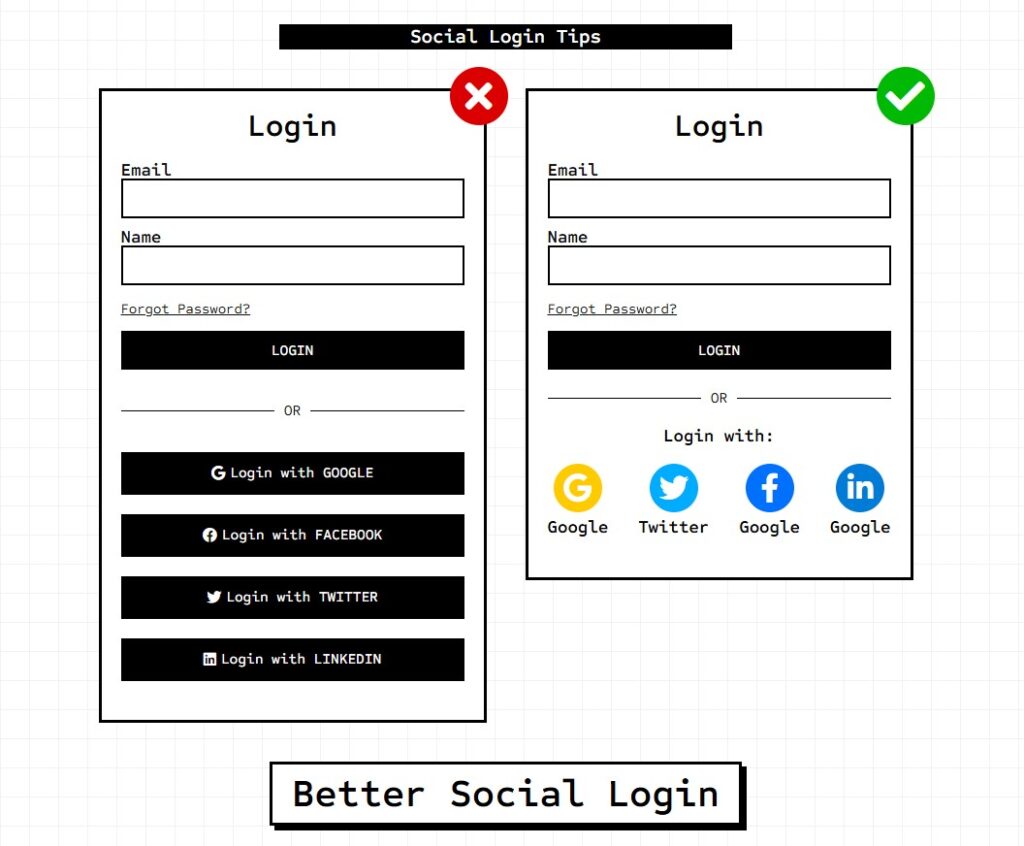
Social Login Tips Login OR Login with GOOGLE Login with FACEBOOK Login with TWITTER Login with LINKEDIN Login OR Login with: Google Twitter Facebook LinkedIn Using social login can significantly improve conversion rates by making it quick and effortless for users to sign up for your platform. For the best user experience, consider placing social login options at the top of the page while keeping the traditional email and password sign-in below. However, keep in mind that some privacy-conscious users may prefer not to use social login. To accommodate them, always provide an alternative sign-up method.